
Readgate
Now on the App Store

Turn scroll impulses
into knowledge moments.

You know the loop. Readgate breaks it — one short article between you and every scroll, every time.

Download on the App Store

Free · iPhone only · iOS 18+

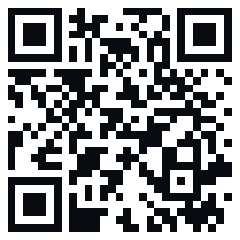
QR code linking to Readgate on the App Store
On desktop? Scan with your iPhone camera
to open in the App Store.
Readgate home screen — daily reading challenge
Privacy
Built with your
privacy in mind.

No account. Your reading habit stays yours — Readgate is a tool you own, not a service that owns you.

Screen Time permission

Uses Apple's built-in Screen Time controls for the apps you choose. Permission stays managed by iOS.

No personal data

No account. No name, no email, no profile. Sessions and streaks live on your device. Readgate uses privacy-conscious crash reporting to keep the app reliable.

No account required

Download, set up in 60 seconds, done. No email, no password, no subscription wall on first launch.

What you'll read
Nine fields.
Every scroll a new one.

Wikipedia's best, cycled by what catches your interest. Never the same loop twice.

🔬
Science
CRISPR · Quantum tunneling · The Higgs boson
🏛
History
The Black Death · Apollo 11 · Roman Empire
🧠
Psychology
Flow · Cognitive dissonance · Anchoring
💭
Philosophy
Stoicism · Plato's cave · The trolley problem
🎨
Culture
Bauhaus · Haiku · Wabi-sabi
🗺
Geography
Patagonia · The Silk Road · Atacama Desert
🌿
Nature
Tulip mania · Aurora borealis · Coral reefs
🌍
Society
Universal basic income · Public libraries
🎯
Productivity
Deep work · Pomodoro · Zettelkasten
Reading Reset
Three steps.
One reading habit.
1

Redirect your apps

Choose which apps to redirect — social media, video, news, or anything else. Uses Apple's native Screen Time framework. No VPN, no workarounds.

2

Read one Wikipedia article

Every open attempt shows a short Wikipedia article. Science, history, psychology — about a minute each. Small knowledge moments that add up.

3

Unlock & go

Finish reading, unlock your app for the break window. Repeat. Your streak tracks every knowledge moment along the way.

0 sec
Per article
0+
Ideas a year, daily habit
9
Knowledge fields
0.
Accounts ever required
FAQ
Common questions.
Why does Readgate need Screen Time access?

Readgate uses Screen Time permission to protect the apps you choose and show a reading prompt before they open.

iOS manages this permission, and you can change it in Settings at any time.

Does Readgate collect personal data?

Readgate does not require an account. Your selected apps, sessions, and streak stay on your device.

We use limited service providers for articles, purchases, diagnostics, and privacy-conscious analytics. See the Privacy Policy for details.

I finished reading but the app is still blocked. Why?

Another Screen Time rule, device setting, or blocking app can still keep an app unavailable. Readgate can only lift the gate it created.

Can I change which apps are blocked?

Yes. Open Readgate, go to Settings, and update the apps, websites, or categories protected by Readgate. Changes apply after saving.

What's the difference between Free and Pro?

Free includes the core reading gate for a limited setup. Pro expands app protection, customization, and progress insights.

The shield doesn't appear when I open a blocked app.

Make sure Screen Time access is enabled for Readgate and the app is included in your protected list.

Readgate's app-gating flow is designed for iPhone and depends on Apple's Screen Time availability.

More questions →

The smallest habit
that actually sticks.

One article between you and every scroll. 60 seconds today, 300+ ideas a year.

Download on the App Store